Importing Conquer Denali to Dynamics
Follow
- Download the Zip file provided by Conquer. If you do not have the Zip file, contact your Customer Success Manager.
- Once downloaded, log in to https://make.powerapps.com/
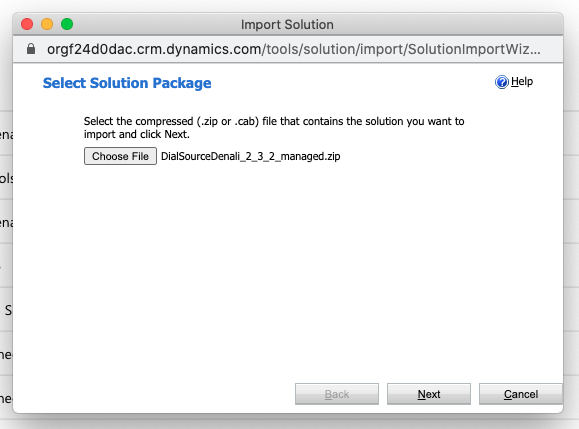
- Navigate to Solutions > Import > Choose File, then select the Zip file provided by Conquer (formerly DialSource).
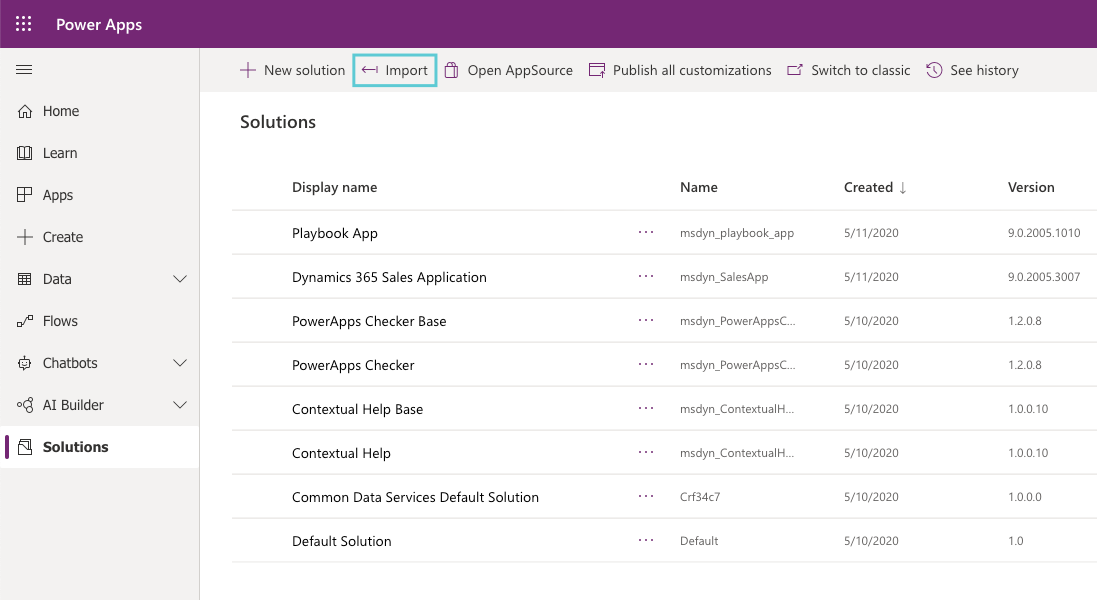
- After selecting the Zip file, click Next > Import. The Import process should begin and generally takes up to 2 minutes.
-
Once Imported, you will be prompted to a new dialogue box with a success message. Select Close and begin Configuration.

Comments
0 comments
Please sign in to leave a comment.